Foundation Files That Agents Actually Read
README.md, CLAUDE.md, CONTRIBUTING.md—and why each one serves a different purpose
Foundation Files That Agents Actually Read
Part 2 of the Agent-Ready Development Series
The First 30 Seconds
When a developer joins your project, what happens in the first 30 seconds?
They look for the README. They skim it. They decide if they understand what this project is and whether they can figure out how to work with it.
AI assistants do the exact same thing—except they’re incredibly literal about it.
A human developer might browse around, make inferences, ask a coworker. An AI assistant reads what’s there and works with that. If your foundation files are incomplete or confusing, every subsequent interaction suffers.
Let’s fix that.
The Foundation File Stack
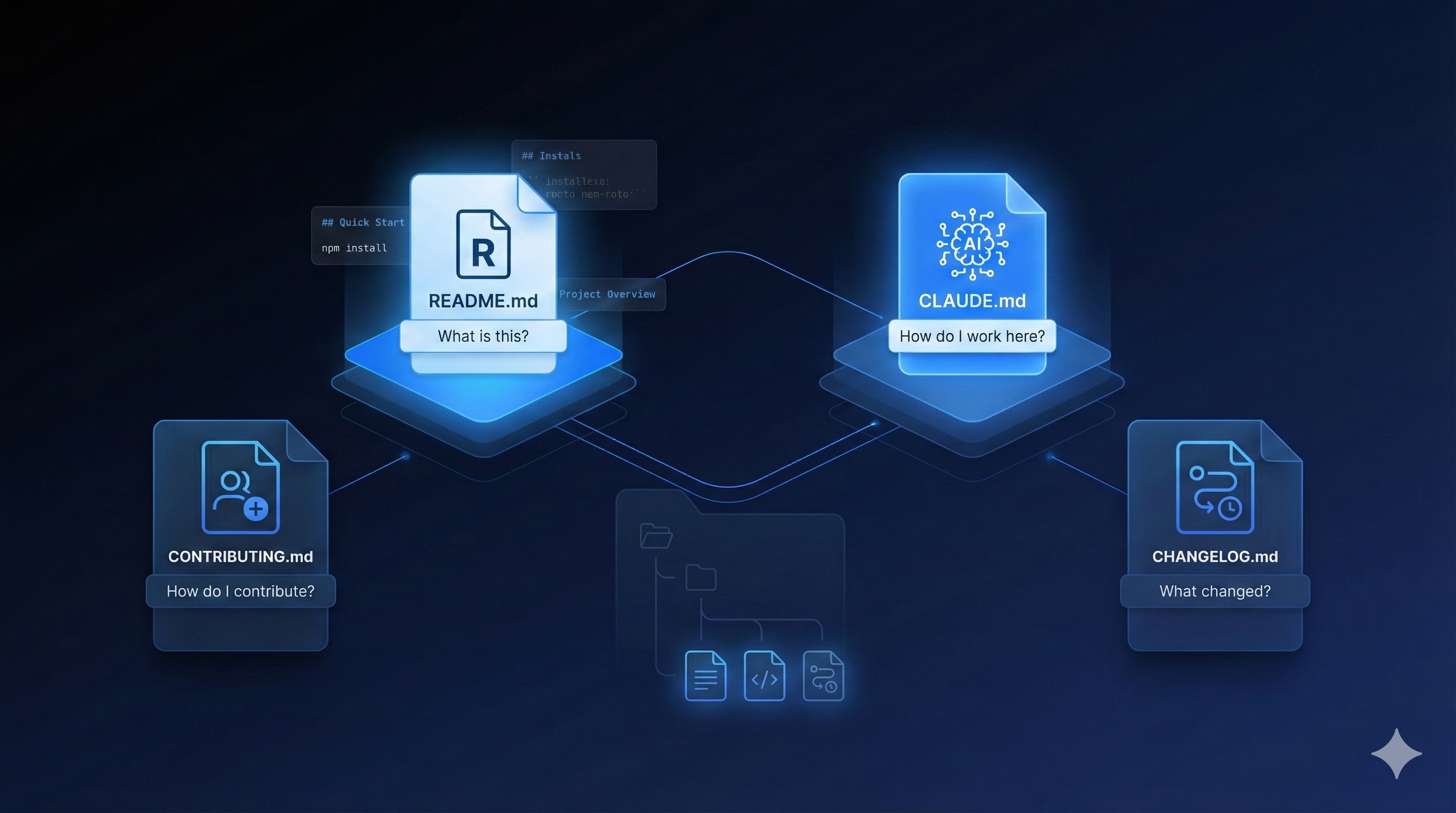
There are four critical files that form the foundation of an agent-ready repository:
project/
├── README.md          # What is this?
├── CLAUDE.md          # How do I work here? (AI-specific)
├── CONTRIBUTING.md    # How do I contribute?
└── CHANGELOG.md       # What changed?
Each serves a distinct purpose. Let’s break them down.
README.md: The Front Door
Your README is marketing. It answers one question: “Should I care about this project?”
The Perfect README Structure
# Project Name

One sentence that explains what this project does.

## Quick Start

Three commands max to get running:

    npm install
    npm run dev
    # Open http://localhost:3000

## What It Does

2-3 paragraphs explaining the problem this solves and how.

## Features

- Feature 1: Brief description
- Feature 2: Brief description
- Feature 3: Brief description

## Documentation

- [Getting Started](./docs/getting-started.md)
- [API Reference](./docs/api-reference.md)
- [Contributing](./CONTRIBUTING.md)

## Tech Stack

- Frontend: React 18, TypeScript, Tailwind
- Backend: Node.js, Express, PostgreSQL
- Testing: Vitest, Playwright

## License

MIT © Your Name
What NOT to Put in README
- Complete API documentation (link to it)
- Setup instructions for every OS (use docs/)
- Contributor guidelines (that’s CONTRIBUTING.md)
- Changelog (that’s CHANGELOG.md)
- Agent instructions (that’s AGENTS.md , plus a CLAUDE.md for Claude Code )
The README should be scannable in 30 seconds.
AGENTS.md: The Agent Instruction Manual
This is the part that changes the architecture. While README.md talks to humans, AGENTS.md talks to AI coding agents.
AGENTS.md is the open, cross-tool standard for this — it started with OpenAI’s Codex, is now stewarded by the Linux Foundation, and is read by 30+ agent tools across tens of thousands of repositories. It’s a plain-Markdown file at your repo root: the place for explicit instructions too verbose for human-facing docs.
One catch worth knowing: Claude Code doesn’t read AGENTS.md natively yet — it looks for CLAUDE.md. (The contrast between this open file standard and tool-specific agent hooks comes up again later in the series.) So the pragmatic move is to treat AGENTS.md as your source of truth and give Claude Code a CLAUDE.md too — a short pointer, a copy, or a symlink (ln -s AGENTS.md CLAUDE.md). Same content, every tool covered.
A solid AGENTS.md structure
# Project Name - AI Development Guide

## Project Overview

[Project Name] is a [type of application] that [primary purpose].
Built with [main technologies] following [architectural pattern].

## Quick Commands

    npm run dev        # Start development server
    npm run test       # Run all tests
    npm run lint       # Check code style
    npm run build      # Production build
    npm run typecheck  # TypeScript validation

## Architecture

    src/
    ├── components/    # React components (PascalCase)
    ├── hooks/         # Custom hooks (useCamelCase)
    ├── services/      # Business logic (camelCase)
    ├── utils/         # Pure functions (camelCase)
    ├── types/         # TypeScript types (PascalCase)
    └── pages/         # Route pages (kebab-case folders)

## Code Conventions

- Use TypeScript strict mode
- Prefer named exports over default exports
- Use React functional components with hooks
- Place tests adjacent to source files: `Component.tsx` → `Component.test.tsx`
- CSS: Use Tailwind utility classes; avoid custom CSS files
- State: Use React Query for server state, Zustand for client state

## Development Workflow

1. Create feature branch from `main`: `feature/description`
2. Make changes with atomic commits
3. Run `npm run test && npm run lint` before committing
4. Create PR against `main` with description
5. Squash merge after approval

## Current Priorities (Optional)

- Focus: User authentication refactor
- Avoid: Touching legacy /api/v1 routes
- Known issues: Payment webhook occasionally fails (Issue #47)

## Do Not

- Modify database schema without migration files
- Use `any` type in TypeScript
- Commit environment files (.env*)
- Skip tests for new features
Why this works
- Explicit conventions - No guessing about code style
- Clear boundaries - “Do not” sections prevent common mistakes
- Current context - What’s the team working on right now?
- Runnable commands - Copy-paste ready
Pro Tip: Keep It Updated
Your AGENTS.md should evolve with your project. When you catch an agent making a mistake:
- Correct the mistake
- Add a note to AGENTS.md preventing that mistake
- Future interactions are now better
It’s a living document — and because it’s the open standard, one update reaches every agent your team uses.
CONTRIBUTING.md: The Contributor Contract
This file answers: “How do I submit changes to this project?”
The Perfect CONTRIBUTING.md Structure
# Contributing to Project Name

Thank you for your interest in contributing!

## Getting Started

1. Fork the repository
2. Clone your fork
3. Install dependencies: `npm install`
4. Create a branch: `git checkout -b feature/your-feature`

## Development Setup

### Prerequisites

- Node.js 18+
- npm 9+
- PostgreSQL 14+ (local or Docker)

### Environment Variables

Copy `.env.example` to `.env` and configure:

    DATABASE_URL=postgresql://localhost:5432/myapp
    API_KEY=your_dev_api_key

### Running Locally

    npm run dev          # Start development server
    npm run db:migrate   # Run database migrations
    npm run seed         # Seed test data

## Making Changes

### Code Style

We use ESLint and Prettier. Run before committing:

    npm run lint:fix

### Commit Messages

We follow [Conventional Commits](https://conventionalcommits.org/):

    feat: add user profile page
    fix: resolve login redirect loop
    docs: update API documentation
    test: add unit tests for auth service

### Testing

All PRs require:
- [ ] Unit tests for new functions
- [ ] Integration tests for new endpoints
- [ ] No decrease in code coverage

Run tests:

    npm run test        # All tests
    npm run test:unit   # Unit only
    npm run test:e2e    # End-to-end

## Pull Request Process

1. Update CHANGELOG.md if applicable
2. Ensure CI passes (tests, lint, build)
3. Request review from maintainers
4. Address feedback promptly
5. Squash merge when approved

## Reporting Issues

Use GitHub Issues with our templates:
- 🐛 [Bug Report](.github/ISSUE_TEMPLATE/bug_report.md)
- ✨ [Feature Request](.github/ISSUE_TEMPLATE/feature_request.md)

## Code of Conduct

Be respectful. Be constructive. We're all here to build something great.

## Questions?

Open a Discussion or reach out to @maintainer.
The AI Angle
AI assistants read CONTRIBUTING.md too. When you ask Claude to “create a PR for this feature,” it will:
- Check CONTRIBUTING.md for commit message format
- Follow the branch naming convention
- Know which tests to run
- Include the right information in the PR
CHANGELOG.md: The History
CHANGELOG.md answers: “What has changed in this project?”
For AI assistants, this provides crucial context about recent changes that might affect their work.
The Perfect CHANGELOG Structure
# Changelog

All notable changes to this project will be documented in this file.

The format is based on [Keep a Changelog](https://keepachangelog.com/),
and this project adheres to [Semantic Versioning](https://semver.org/).

## [Unreleased]

### Added
- User profile avatars (#123)
- Export to CSV feature (#125)

### Changed
- Upgraded React from 17 to 18

### Fixed
- Login redirect loop on mobile (#122)

## [2.1.0] - 2025-01-15

### Added
- Dark mode support
- Keyboard shortcuts for power users

### Changed
- Redesigned settings page
- Improved loading states

### Fixed
- Memory leak in dashboard component
- Race condition in data fetching

## [2.0.0] - 2025-01-01

### Breaking Changes
- API v1 deprecated; use v2 endpoints
- Minimum Node.js version is now 18

### Added
- Complete API rewrite with better performance
- Real-time notifications

[Unreleased]: https://github.com/user/repo/compare/v2.1.0...HEAD
[2.1.0]: https://github.com/user/repo/compare/v2.0.0...v2.1.0
[2.0.0]: https://github.com/user/repo/releases/tag/v2.0.0
Bonus: .env.example
Never commit real environment variables, but always commit an example:
# .env.example - Copy to .env and fill in values

# Database
DATABASE_URL=postgresql://localhost:5432/myapp

# Authentication
JWT_SECRET=generate-a-secure-secret-here
SESSION_DURATION=86400

# External APIs
STRIPE_KEY=sk_test_...
SENDGRID_KEY=SG...

# Feature Flags
ENABLE_DARK_MODE=true
ENABLE_BETA_FEATURES=false
This tells AI assistants what environment variables your app expects without exposing secrets.
The Hierarchy of Context
When an AI assistant enters your repository, here’s the optimal reading order:
1. README.md        → "What am I looking at?"
2. CLAUDE.md        → "How should I work here?"
3. CONTRIBUTING.md  → "What are the rules?"
4. CHANGELOG.md     → "What happened recently?"
5. docs/            → "Deep details when needed"
Each layer adds context without repeating the previous layer.
Quick Wins: What to Do Today
If you have nothing:
- Create a README.md with project description and quick start
- Create a CLAUDE.md with test command and coding conventions
- Done. You’re already better than 90% of repositories.
If you have a README:
- Add a CLAUDE.md with AI-specific instructions
- Move detailed setup instructions to CONTRIBUTING.md
- Create .env.example from your .env file
If you have everything but it’s messy:
- Apply the structures above
- Remove duplication between files
- Ensure each file has a distinct purpose
Template Repository
Want a head start? Here’s a GitHub template with all these files pre-structured:
# Clone the template
npx degit unjoe/agent-ready-template my-project
cd my-project

# Initialize
npm install
git init
[Link to template repository]
Coming Next
In Part 3, we’ll explore Branch Protection & PR Workflows for AI Collaboration—creating guardrails that let AI assistants contribute safely while protecting your codebase from mistakes.
These patterns are core to how PopKit helps developers structure their projects. PopKit’s /popkit:project init command can generate these foundation files automatically, pre-configured for your specific tech stack. Check it out if you want to automate this setup.
← Part 1: The Agent-Ready Manifesto | Part 3: Branch Protection & PRs →